Short URL generation
Turn long capture links into short URLs everyone loves.
ATCapture works as a simple short URL generator for your screenshots and screen recordings. Convert long, messy links into clean short URLs that look professional in tickets, chat, email and docs.
- One-click “Shorten” after each capture.
- Share the same link across all tools and devices.
- Pair with QR codes to bridge desktop and mobile.
Short URLs work best when combined with screenshots, screen recordings and QR code generation in ATCapture.
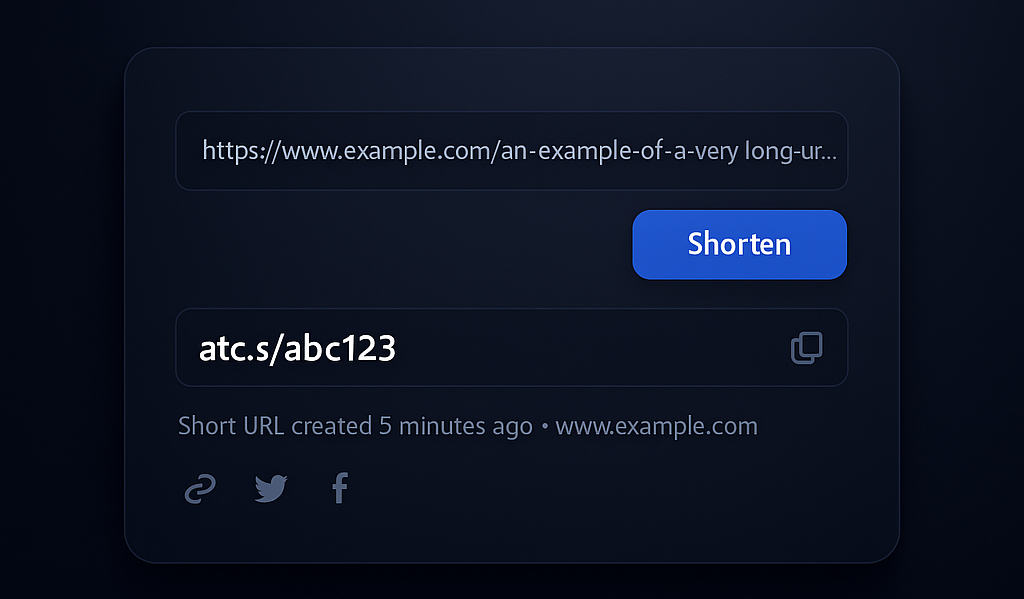
Visual mock of how ATCapture compresses long capture links into clean, sharable short URLs.
Why short URLs matter for screenshots & videos
Long URLs look unprofessional, break across lines and are hard to reuse. Short links keep your communication clean and easier to understand.
Readable & trustworthy
Short URLs look better in chat, tickets and documentation. People can quickly see that a link comes from your capture tool instead of a random, suspicious domain.
- Less visual noise in messages.
- Easy to mention verbally on calls.
Reusable everywhere
Use the same short link in Jira, GitHub, Slack, Teams, email and internal docs. One URL, many touchpoints.
- No need to re-upload the same file.
- Update usage without changing files.
Perfect with QR codes
Short URLs generate simpler QR codes that scan faster and more reliably, especially on older devices or from a distance.
- Ideal for slides, posters and whiteboards.
- Works great with ATCapture QR generation.
How short URL generation works in ATCapture
From captured content to neat, shareable link in three steps.
Step 1
Capture your screen
Start with a screenshot or screen recording using ATCapture on Windows.
- Screenshot capture for static visuals.
- Screen recording for step-by-step videos.
Step 2
Save or upload
Save the capture or follow your usual flow (local or remote, depending on how you integrate ATCapture).
- Keep captures accessible and reusable.
- Maintain a clean history inside ATCapture.
Step 3
Generate a short URL
Click the Shorten option to take a long capture link and convert it into a compact URL.
- Copy with one click.
- Optionally generate a QR code from the same short URL.
Where short URLs shine in your workflow
Short links make your captures easier to share and reuse across your tools.
Bug tracking & QA
Paste short URLs to your screenshots and recordings in Jira, GitHub, Azure DevOps or any ticketing system.
- Cleaner descriptions with less clutter.
- Faster understanding for developers.
Support & customer success
Send customers short, friendly links to help videos and annotated screenshots instead of huge URLs or heavy attachments.
- Looks more professional in email replies.
- Easier for customers to re-share internally.
Documentation, slides & wikis
Use short URLs in internal documentation and presentations to keep layouts clean and easy to read.
- No broken or wrapped URLs.
- Consistent links across documents and teams.
Preview
See short URL generation in action
Watch a quick preview of how ATCapture turns a long capture URL into a neat short link ready for sharing.
Open preview page →Replace the video file path with your own short URL generator preview clip.
History
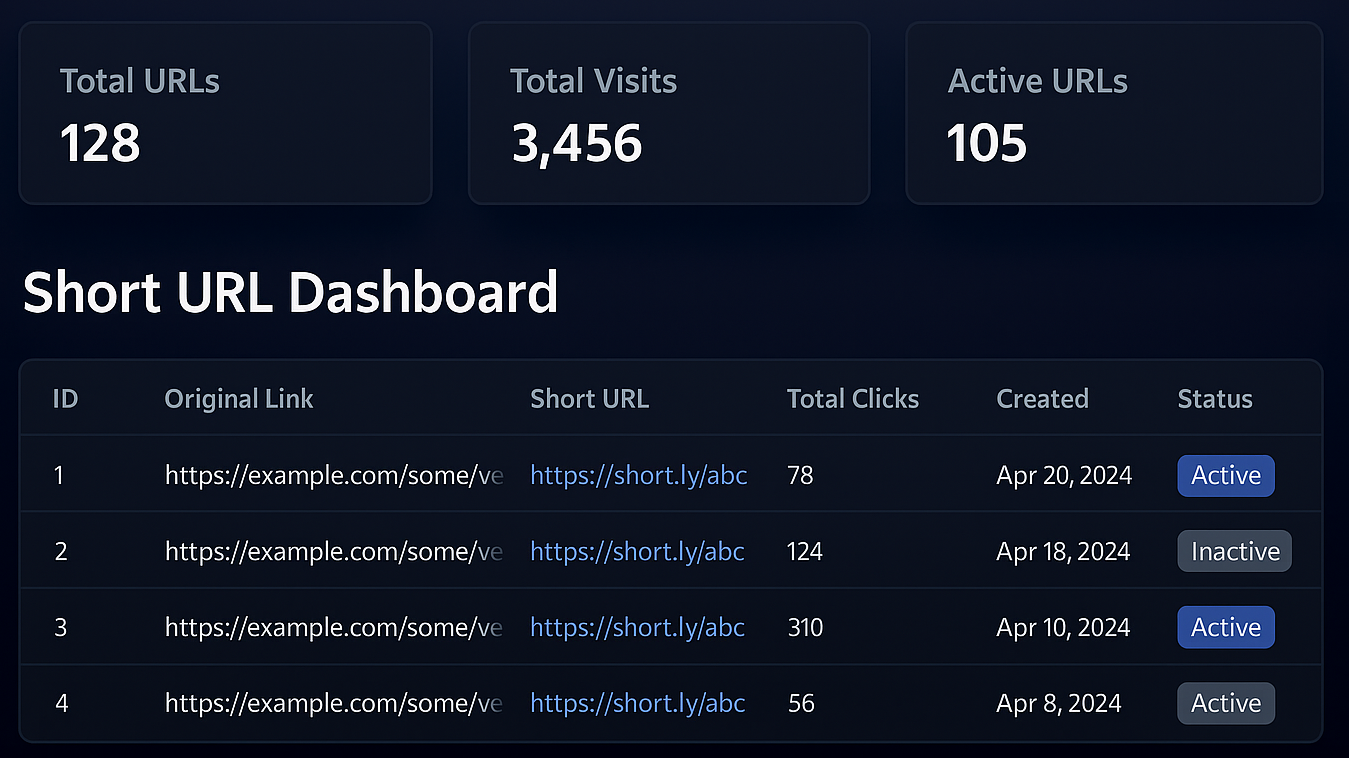
Manage all your short links in one place.
No more hunting through old chats or emails to find that one link you once shared. ATCapture keeps your recent capture links together.
- See a list of recent short URLs for screenshots and recordings.
- Copy links again without re-capturing anything.
- Filter by type (video, screenshot, QR related, etc.).
Why use ATCapture instead of a separate URL shortener?
You can use generic URL shorteners, but ATCapture is built specifically around screen captures.
Generic URL shorteners
- Work for any kind of link, but not optimized for captures.
- Require extra copy-paste steps from your capture tool.
- No direct connection with screenshots or recordings.
ATCapture short URLs
- Created right after capturing your screen.
- Designed for screenshot and recording workflows.
- Integrate with QR generation and the ATCapture dashboard.
Curious how ATCapture compares overall? Visit ATCapture vs other tools to see where it fits in your stack.
Stop pasting huge links into chat and tickets.
Install ATCapture and keep your screenshots and screen recordings shareable with clean, compact short URLs and QR codes.